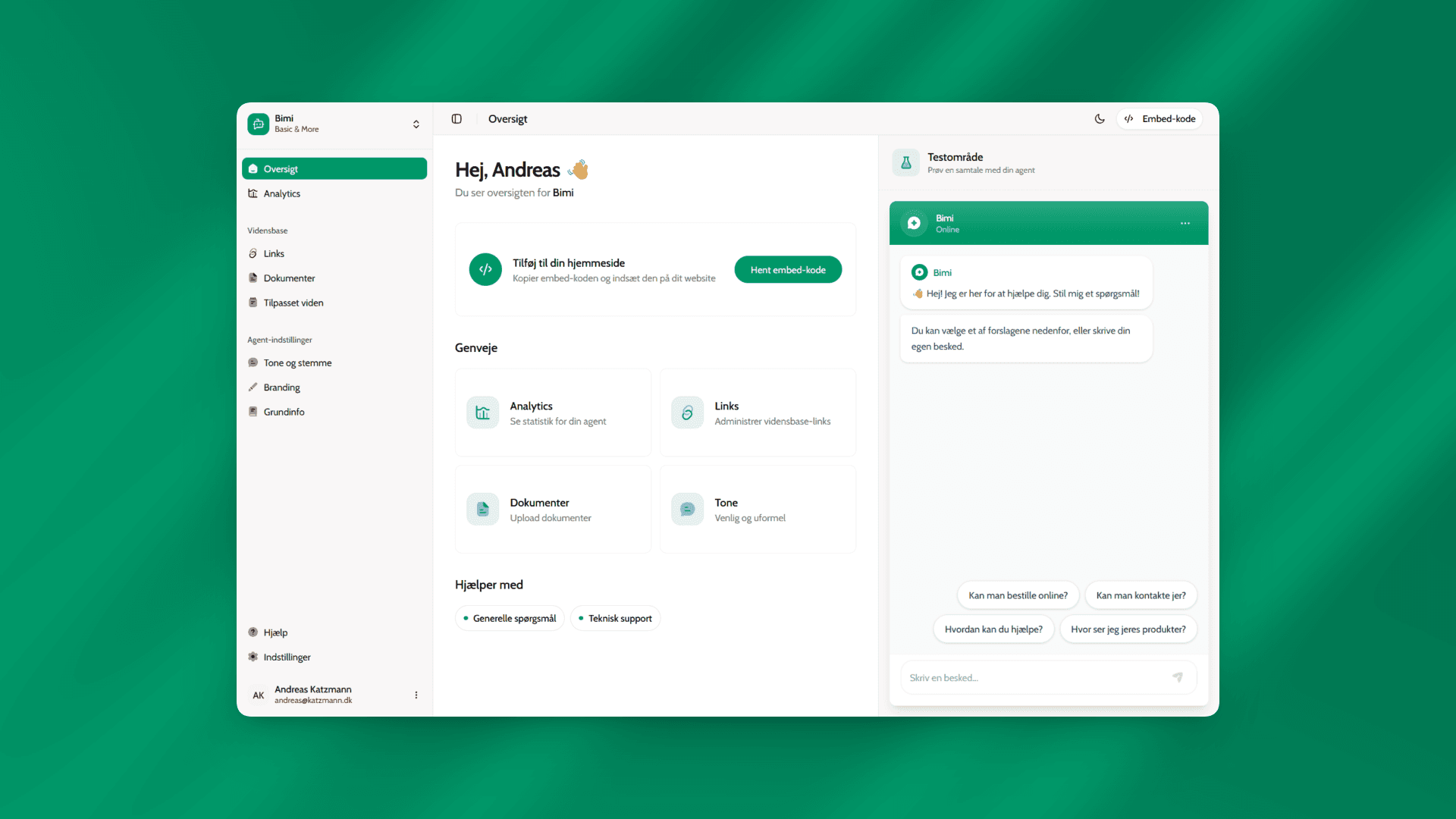
AI-powered chatbots are becoming a default layer in digital customer service. Yet many solutions focus on technical capability rather than trust, clarity, and control.
Easybot explores how AI can be integrated into customer-facing products in a way that feels predictable, secure, and understandable – both for businesses configuring the system and for end users interacting with it.
The project was developed as a semester self-study but intentionally scoped as a production-like platform. The goal was not to create a demo chatbot, but a complete flow where companies can configure, train, and deploy their own AI assistant without writing code.
Problem framing – AI is powerful, but opaque
Early research showed that many AI chatbots fail not because of poor answers, but because users don’t understand what the bot can do, what it knows, or where its limits are.
From a UX perspective, this creates fragile mental models. Users may overestimate the system, attempt to negotiate rules, or lose trust when responses suddenly change.
The core challenge became clear:
How can an AI chatbot feel helpful and human, without appearing unpredictable or manipulable?
Research focus – prompts, security, and mental models
The research phase combined desk research with hands-on experimentation. I explored three tightly connected areas:
- Technical AI integration in modern web applications
- System prompts and prompt injection risks
- UX implications of AI behaviour and role definition
Rather than treating prompts as a purely technical concern, they were approached as a UX tool that directly shapes user expectations and trust.
Testing prompt strategies
An exploratory prototype was built to test how different system prompt strategies affected behaviour. Three variants were explored:
- A minimal prompt with high flexibility
- A structured prompt with clearer goals and tone
- A security-focused prompt with explicit refusal and boundary rules
Each variant produced noticeably different responses, even though the technical integration remained identical.
The minimal variant felt friendly, but quickly revealed internal rules and accepted hypothetical bypasses.
The structured variant improved consistency, but still leaked internal logic.
Only the security-focused variant created stable, non-negotiable behaviour that aligned with realistic user expectations.
This confirmed that system prompts are not just configuration – they are product design.
Designing for predictable AI behaviour
These insights directly informed Easybot’s design:
- Businesses configure tone, scope, and knowledge explicitly
- The AI never claims access to personal or live data
- Limitations are communicated clearly and consistently
- Attempts to override rules are handled calmly and transparently
Instead of trying to appear endlessly flexible, Easybot prioritises reliability and trust.
This approach supports a stronger mental model:
The chatbot is a specialised assistant with clear boundaries – not a general intelligence that can be negotiated with.
From configuration to deployment
Easybot was designed as a complete system rather than a single interface. The platform includes:
- Authentication and project-based dashboards
- Training on company-specific content
- Personality and tone configuration
- A copy-paste widget for instant website integration
This allowed the AI to move from abstract capability to an actual, deployable product.
Technical stack
The project was built using a modern, production-ready stack:
- Next.js (App Router) for structure and server components
- Vercel AI SDK for streaming AI responses
- Supabase for authentication and data storage
- TypeScript for type safety and maintainability
Streaming responses were deliberately chosen to improve perceived performance and conversational flow, even when response generation time remains constant.
Outcome and reflection
In just over a week, Easybot evolved from an exploratory prototype into a fully functioning AI chatbot platform.
More importantly, the project demonstrates that successful AI products are shaped less by raw model capability and more by design decisions around framing, limits, and expectations.
The key takeaway:
Good AI UX is not about making systems feel limitless – it’s about making them feel trustworthy.